Makop Ransomware
- 163
- Global rank
- 207
- Month rank
- 207
- Week rank
Makop is a Phobos-derived Ransomware-as-a-Service model that predominantly targets exposed and vulnerable RDP endpoints. Rather than executing as a standalone automated threat, human operators manually navigate the compromised network to escalate privileges, map assets, and disable active defense solutions before deploying the payload.
- Ransomware
- Type
- Unknown
- Origin
- 1 February, 2020
- First seen
- 4 September, 2026
- Last seen
How to analyze Makop Ransomware with ANY.RUN
IOCs
IP addresses
- 20.165.94.54
- 20.165.94.63
- 48.209.138.189
- 23.52.181.141
- 128.24.231.64
- 172.211.123.249
- 23.11.41.157
- 23.59.18.102
- 48.209.138.168
- 20.190.159.0
- 2.16.164.66
- 48.209.133.15
- 135.233.95.144
- 184.86.251.19
- 57.153.246.3
- 95.100.102.101
- 204.79.197.203
- 74.178.240.51
- 48.192.1.64
- 23.216.77.25
Hashes
- eb89aad649b94a093f19bcd41a45a9b43716a5436453b700fa5ff59263d27b85
- 91239915a2befbad4d90299f716720c8f83acc2aa61c0798a376e0b8cb6d0ce3
- 346d920f0560c5ce6e03fe05a9adedb6a7c8ae7b9c6e42781ae8778f094d581b
- 3860c5830470ba96103f1dafb91da2827af6c9e39f0f2426dd90689adbb0e9ca
- 7ce7755afbfea5b2183d1130a6f9e8a5447a656ce1f4ef99c52fb49872f12d1e
- 41a4b210dd944df76ba046892156ee5c17b91d004bd4e3b73b229d0d7783eadc
- a7d8ce6076e05dfe9d3cbabb5c7d98e354184732cb868bb3237bc8a32c704a1b
- cedbf58b3fcfba05a1017ae7e952697a609d0f0ff178da01d0222b15876aac00
- 8ae1a47224b7556a78e1afea8af5636ad0ff64d4a0f05128c2cb8767599e3a76
- c614ca23c68911d3d95a929ff9b07c1cd8912d212246908fe6b2f93245167e34
- c56bcc261453a6417cfde66a69853bac1ca0acb21964c9bbd8920494e5fff808
- dd20956cf1265d923d933d3e7e7c5498f7bd2ee7b9c0f4e412eb4aa00557500a
- a3e394acb952df44488ec2acc1c7ec4926cbb0579a26b02b9a93a4ec073832d4
- 374dbc53dcce76e94f1abfe722b651dae0c7f41afa6f96de472bc2fe84cb825f
- 33647001046d219c29d6d2de8649a96c60e2859694a6741264d729624244e843
- 6b1a43e55137e36100624ea0a44c6bb2d267271d929adbe732d19292134ab1bd
- 8e3e2da9d29e68bfd58fd8af2b51e4b63a80416703875954dce48f2ae1b36797
- 80fc9685d58f40b10364151f008b7cd583d73079fdcac6cea224500f0bfeafe1
- 724699b9adbabc34334693e0ece6666b36ba96e0a80396c09fc51f371b811e86
- ff84d20b1cd075a528d699e922bee656647285a8406d79276caa9090f0a694b0
Domains
- officeclient.microsoft.com
- activation-v2.sls.microsoft.com
- fe3cr.delivery.mp.microsoft.com
- slscr.update.microsoft.com
- ocsp.digicert.com
- settings-win.data.microsoft.com
- client.wns.windows.com
- go.microsoft.com
- google.com
- self.events.data.microsoft.com
- ecs.office.com
- crl.microsoft.com
- www.microsoft.com
- login.live.com
- www.bing.com
- oneocsp.microsoft.com
- nexusrules.officeapps.live.com
- th.bing.com
- iplogger.com
- c.pki.goog
URLs
- https://settings-win.data.microsoft.com/settings/v3.0/wsd/waasassessment?os=windows&osver=10.0.19041.1.amd64fre.vb_release.191206-&ring=retail&sku=48&deviceclass=windows.desktop&locale=en-us&deviceid=bad99146-31d3-4ec6-a1a4-be76f32ba5d4&flightring=retail&telemetrylevel=1&hidovergattreg=c%3a%5cwindows%5csystem32%5cdriverstore%5cfilerepository%5chidbthle.inf_amd64_9610b4821fdf82a5%5cmicrosoft.bluetooth.profiles.hidovergatt.dll&appver=10.0&processoridentifier=amd64%20family%2023%20model%201%20stepping%202&oemmodel=dell&updateoffereddays=4294967295&processormanufacturer=authenticamd&installdate=1661339444&oemmodelbaseboard=&branchreadinesslevel=cb&oemsubmodel=j5cr&isclouddomainjoined=0&deferfeatureupdateperiodindays=30&isdeviceretaildemo=0&flightingbranchname=&osuilocale=en-us&devicefamily=windows.desktop&wuclientver=10.0.19041.3996&uninstallactive=1&isflightingenabled=0&osskuid=48&processorclockspeed=3094&totalphysicalram=6144&securebootcapable=0&app=waasassessment&processorcores=6¤tbranch=vb_release&installlanguage=en-us&deferqualityupdateperiodindays=0&servicingbranch=cb&oemname_uncleaned=dell&tpmversion=0&primarydisktotalcapacity=262144&installationtype=client&attrdataver=186&processormodel=amd%20ryzen%205%203500%206-core%20processor&isedgewithchromiuminstalled=1&osversion=10.0.19045.4046&ismdmenrolled=0&activationchannel=retail&honorwufbdeferrals=0&firmwareversion=a.40&trendinstalledkey=1&osarchitecture=amd64&defaultuserregion=244&updatemanagementgroup=2
- http://crl.microsoft.com/pki/crl/products/microoceraut2011_2011_03_22.crl
- http://www.microsoft.com/pkiops/crl/micsecserca2011_2011-10-18.crl
- https://settings-win.data.microsoft.com/settings/v3.0/onesettings/client?osversionfull=10.0.19045.4046.amd64fre.vb_release.191206-1406&localdeviceid=s%3abad99146-31d3-4ec6-a1a4-be76f32ba5d4&flightring=retail&attrdataver=186&osuilocale=en-us&osskuid=48&app=wosc&appver=&isflightingenabled=0&telemetrylevel=1&devicefamily=windows.desktop
- https://login.live.com/rst2.srf
- https://login.live.com/ppsecure/deviceaddcredential.srf
- http://ocsp.digicert.com/mfewtzbnmeswstajbgurdgmcgguabbq50otx%2fh0ztl%2bz8sipi7wewvxdlqqutijuibiv5unu5g%2f6%2brks7qyxjzkceaz1vqyrvgl0erhqlcpm8gy%3d
- https://settings-win.data.microsoft.com/settings/v3.0/flightsettings/fsservice?processorclockspeed=3094&isretailos=1&oemmanufacturername=dell&flightingpolicyvalue=3&enablepreviewbuilds=4294967295&osversionfull=10.0.19045.4046.amd64fre.vb_release.191206-1406&managepreviewbuilds=3&branchreadinesslevelsource=0&attrdataver=186&processorcores=6&branchreadinesslevelraw=16&totalphysicalram=6144&tpmversion=0&oemmodelnumber=dell&systemvolumetotalcapacity=260281&deviceid=s%3abad99146-31d3-4ec6-a1a4-be76f32ba5d4&app=fss&appver=10.0&smartactivehoursstate=1&activehoursstart=20&securebootcapable=0&activehoursend=13&devicefamily=windows.desktop
- https://go.microsoft.com/fwlink/?linkid=2257403&clcid=0x409
- https://settings-win.data.microsoft.com/settings/v3.0/wsd/muse?processorclockspeed=3094&flightids=&updateoffereddays=4294967295&branchreadinesslevel=cb&oemmanufacturername=dell&isclouddomainjoined=0&processoridentifier=amd64%20family%2023%20model%201%20stepping%202&sku=48&activationchannel=retail&attrdataver=186&ismdmenrolled=0&processorcores=6&processormodel=amd%20ryzen%205%203500%206-core%20processor&totalphysicalram=6144&primarydisktype=4294967295&flightingbranchname=&chassistypeid=1&oemmodelnumber=dell&systemvolumetotalcapacity=260281&sampleid=95271487&deviceclass=windows.desktop&app=muse&disabledualscan=0&appver=10.0&oemsubmodel=j5cr&locale=en-us&isalwaysonalwaysconnectedcapable=0&ms=0&defaultuserregion=244&updateserviceurl=http%3a%2f%2fneverupdatewindows10.com&osver=10.0.19045.4046.amd64fre.vb_release.191206-1406&os=windows&deviceid=s%3abad99146-31d3-4ec6-a1a4-be76f32ba5d4&deferqualityupdateperiodindays=0&ring=retail&deferfeatureupdateperiodindays=30
- https://slscr.update.microsoft.com/sls/%7b522d76a4-93e1-47f8-b8ce-07c937ad1a1e%7d/x64/10.0.19045.4046/0?ch=686&l=en-us&p=&pt=0x30&wua=10.0.19041.3996&mk=dell&md=dell
- http://www.microsoft.com/pkiops/crl/microsoft%20ecc%20update%20secure%20server%20ca%202.1.crl
- https://fe3cr.delivery.mp.microsoft.com/clientwebservice/ping
- https://slscr.update.microsoft.com/sls/ping
- https://slscr.update.microsoft.com/sls/%7be7a50285-d08d-499d-9ff8-180fdc2332bc%7d/x64/10.0.19045.4046/0?ch=686&l=en-us&p=&pt=0x30&wua=10.0.19041.3996&mk=dell&md=dell
- https://settings-win.data.microsoft.com/settings/v3.0/wsd/updatehealthtools?os=windows&osver=10.0.19041.1.amd64fre.vb_release.191206-&sku=48&deviceclass=windows.desktop&locale=en-us&deviceid=s:bad99146-31d3-4ec6-a1a4-be76f32ba5d4&sampleid=s:95271487&appver=10.0.19041.3626&flightring=retail&telemetrylevel=1&hidovergattreg=c%3a%5cwindows%5csystem32%5cdriverstore%5cfilerepository%5chidbthle.inf_amd64_9610b4821fdf82a5%5cmicrosoft.bluetooth.profiles.hidovergatt.dll&appver=&processoridentifier=amd64%20family%2023%20model%201%20stepping%202&oemmodel=dell&updateoffereddays=4294967295&processormanufacturer=authenticamd&installdate=1661339444&oemmodelbaseboard=&branchreadinesslevel=cb&oemsubmodel=j5cr&isclouddomainjoined=0&deferfeatureupdateperiodindays=30&isdeviceretaildemo=0&flightingbranchname=&osuilocale=en-us&devicefamily=windows.desktop&wuclientver=10.0.19041.3996&uninstallactive=1&isflightingenabled=0&osskuid=48&processorclockspeed=3094&totalphysicalram=6144&securebootcapable=0&app=sedimentpack&processorcores=6¤tbranch=vb_release&installlanguage=en-us&deferqualityupdateperiodindays=0&oemname_uncleaned=dell&tpmversion=0&primarydisktotalcapacity=262144&installationtype=client&attrdataver=186&processormodel=amd%20ryzen%205%203500%206-core%20processor&isedgewithchromiuminstalled=1&osversion=10.0.19045.4046&ismdmenrolled=0&activationchannel=retail&firmwareversion=a.40&trendinstalledkey=1&osarchitecture=amd64&defaultuserregion=244&updatemanagementgroup=2
- http://ocsp.digicert.com/mfewtzbnmeswstajbgurdgmcgguabbtrjrydryt%2bapf3gspypfhbxr5xtqqus9tippmhxdiunkhmewnpyim8s8yceajtxtab8my1oj8mfwpz%2f7y%3d
- http://oneocsp.microsoft.com/ocsp/mfqwujbqme4wtdajbgurdgmcgguabbq3l3%2f%2fa6adk8nray2gxzvayrhg4aqub6t%2b2v%2bxq3lso2d33ojhnyhhqoucezmaaaagb6jmmcovb6saaaaaaay%3d
- https://www.bing.com/threshold/xls.aspx?t=5&dl=1&f=9&wsbc=1
- http://www.microsoft.com/pkiops/crl/microsoft%20ecc%20product%20root%20certificate%20authority%202018.crl
Last seen at
- aldet_visual.exe
- +README-WARNING+.txt.mal
- 82572A87F84D2A4AF97BF68A49279C09151940C99E055A01C674B032BB17E905.exe
- 82572A87F84D2A4AF97BF68A49279C09151940C99E055A01C674B032BB17E905.exe
- 82572A87F84D2A4AF97BF68A49279C09151940C99E055A01C674B032BB17E905.exe
- 82572A87F84D2A4AF97BF68A49279C09151940C99E055A01C674B032BB17E905.exe
- 82572A87F84D2A4AF97BF68A49279C09151940C99E055A01C674B032BB17E905.exe
- 82572A87F84D2A4AF97BF68A49279C09151940C99E055A01C674B032BB17E905.exe
- MDE_File_Sample_c127731d501fdc56428cf66b81b15c2abf58e5ef.zip
- gines_visual.exe
Key Takeaways
- Background and History: First seen around 2020, Makop is a Ransomware-as-a-Service model derived from the Phobos ransomware family, with typical ransom demands averaging around $15,000.
- Hands-On Attackers: Modern campaigns are human-operated rather than automated; hackers manually scout targets, steal logins, escalate privileges, and shut down antivirus software before launching the payload.
- Multi-Stage Loaders: Operators use third-party delivery tools like GuLoader to drop secondary malware, making initial detection at the perimeter much harder.
- Defense Evasion via BYOVD: To disable EDR agents, attackers use "Bring Your Own Vulnerable Driver" tactics, loading legitimately signed but flawed drivers to gain kernel access and forcefully terminate security software.
- Proactive Defense for Early Detection: Enterprise defense cannot rely on post-infection recovery. Mitigating ransomware threats requires a layered security framework that involves interactive sandboxing to safely analyze incoming files and URLs to reveal concealed attack chains and integrating actionable Threat Intelligence to proactively enrich security controls, neutralize attacker persistence, and block ransomware activity prior to impact.
- Opportunistic & Regional Targeting: Attackers target any organization with exposed infrastructure and weak security. India currently accounts for 55% of documented attacks, leading the group to add custom uninstallation scripts for regional security software to their toolkit.
What is Makop Ransomware?
Makop Ransomware is an adaptable encryption threat designed to extort businesses. Originating around 2020 as a variant of the Phobos ransomware family, Makop has updated its methods to match current cyber threats. Instead of acting as a standalone, automated file locker, Makop operates as Ransomware-as-a-Service (RaaS). In this model, core developers maintain the code while independent affiliates launch the attacks, resulting in an average ransom demand of about $15,000 per incident.
In terms of operation, Makop has shifted its primary methodology. While early versions relied on basic execution techniques, modern Makop campaigns use human-operated network intrusions. This manual approach means that once initial access is gained, human attackers actively move through the victim's environment. They harvest credentials, locate high-value systems, and disable internal defenses before encrypting any data.
To challenge enterprise security controls, Makop’s delivery methods have also evolved. Security data shows the integration of GuLoader (a downloader active since 2019) to drop secondary Makop payloads. This is an important shift: by using loaders to run defense evasion routines prior to deployment, Makop operators can bypass standard signature-based perimeter security. Combining a standardized RaaS business model with multi-stage attack tactics makes Makop a persistent threat to mid-market and enterprise organizations globally.
How Makop Ransomware Threatens Businesses and Organizations
For modern enterprises, the primary threat of a Makop ransomware intrusion does not stem from a single, highly advanced exploit. Instead, it relies on the group's ability to systematically disable defenses, harvest internal credentials, and move laterally to maximize operational downtime.
Once inside a network, Makop operators maintain a fallback portfolio of local privilege escalation (LPE) exploits targeting core Windows subsystems (such as BITS, Win32k, and Windows Installers). If one exploit fails or is blocked by an active patch, the attacker cycles to another LPE primitive in their toolkit until administrative control is achieved.
Rather than writing complex custom kernel exploits, threat actors leverage signed, legitimate third-party drivers that contain known memory-access vulnerabilities. By registering these drivers as system services, they gain kernel-level access, allowing them to bypass operating system security boundaries and forcibly terminate Endpoint Detection and Response (EDR) solutions.
In addition to using generic tools to disable built-in Microsoft Defender protections, Makop operators deploy customized software uninstallers. These uninstallers are specifically tailored to silently remove regional security products (such as Quick Heal AV) popular in their primary target countries, demonstrating that the threat group adapts its toolkit based on the security solutions they expect to encounter.
Attackers leverage memory extraction tools to harvest plaintext passwords and authentication tokens directly from Windows memory, while simultaneously using specialized database harvesters to extract credentials stored locally across web browsers, email clients, and system databases.
For discovery and lateral movement, operators combine these stolen credentials with widely used network and port scanners. Because these scanning tools are frequently utilized by legitimate IT administrators, their network mapping activities easily blend into standard daily operational traffic, preventing SOC teams from flagging the pre-encryption reconnaissance phase.
Victimology: Who Is Most Vulnerable?
Makop targets organizations opportunistically, focusing on companies where IT security weaknesses make an attack low-cost and easy to execute. A considerable share of its attacks falls on countries in the EU, LATAM, and other regions.
The biggest risk factor for a Makop intrusion is having Remote Desktop Protocol (RDP) services exposed to the public internet without proper protections. Many vulnerable organizations run external RDP on default ports without enforcing Multi-Factor Authentication (MFA) or strict account lockout rules This leaves them open to automated RDP password-guessing and dictionary attacks. Threat actors use standard brute-force tools to crack weak credentials and gain quick access to the internal network.
Ideal targets include organizations that rely only on static, signature-based antivirus, run unpatched legacy systems, or grant widespread local admin rights to users.
How Does Makop Ransomware Function?
Detonating a Makop Ransomware sample inside ANY.RUN’s Interactive Sandbox shows that the runtime behavior of the malware proceeds through five distinct operational phases.
Phase 1: Infiltration and Human-Operated Staging
Unlike self-replicating worms, Makop relies on an operator-led intrusion chain.
- Initial Entry: Threat actors gain an initial foothold by targeting exposed Remote Desktop Protocol (RDP) services, using automated tools to execute brute-force attacks against weak administrative credentials.
- Active Reconnaissance: Once inside, human operators conduct manual reconnaissance across the local network.
- Staging: Attackers escalate privileges, dump administrative credentials, disable local security software, and map connected network directories before dropping the main ransomware encryptor.
Phase 2: Interactive Execution and Payload Tuning
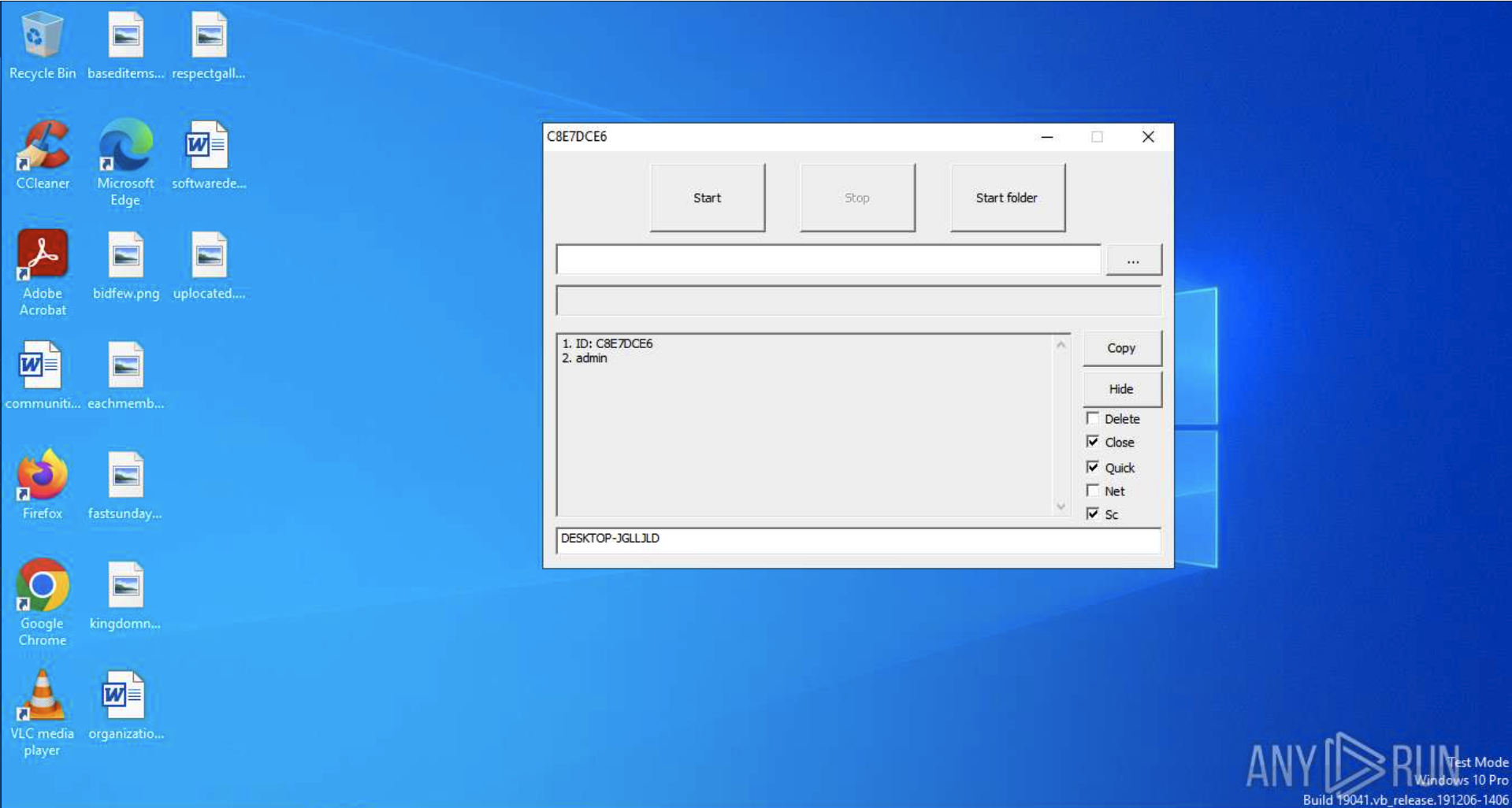
Upon launching the binary, the threat actor uses a local, interactive GUI dashboard to modify execution logic on the fly:
- "Delete" Option: Triggers self-deletion of the ransomware binary immediately after encryption completes to reduce forensic footprints.
- "Quick" Option: Accelerates the attack by encrypting only the first 40KB of each target file, corrupting databases and system files while avoiding CPU utilization spikes.
- "Net" Option: Forces the malware to scan, map, and encrypt all connected network shares and mounted drives.
- Target Selection: Operators can launch global system encryption ("Start") or target specific sensitive folders ("Start Folder").
Phase 3: Destruction of System Recovery Paths

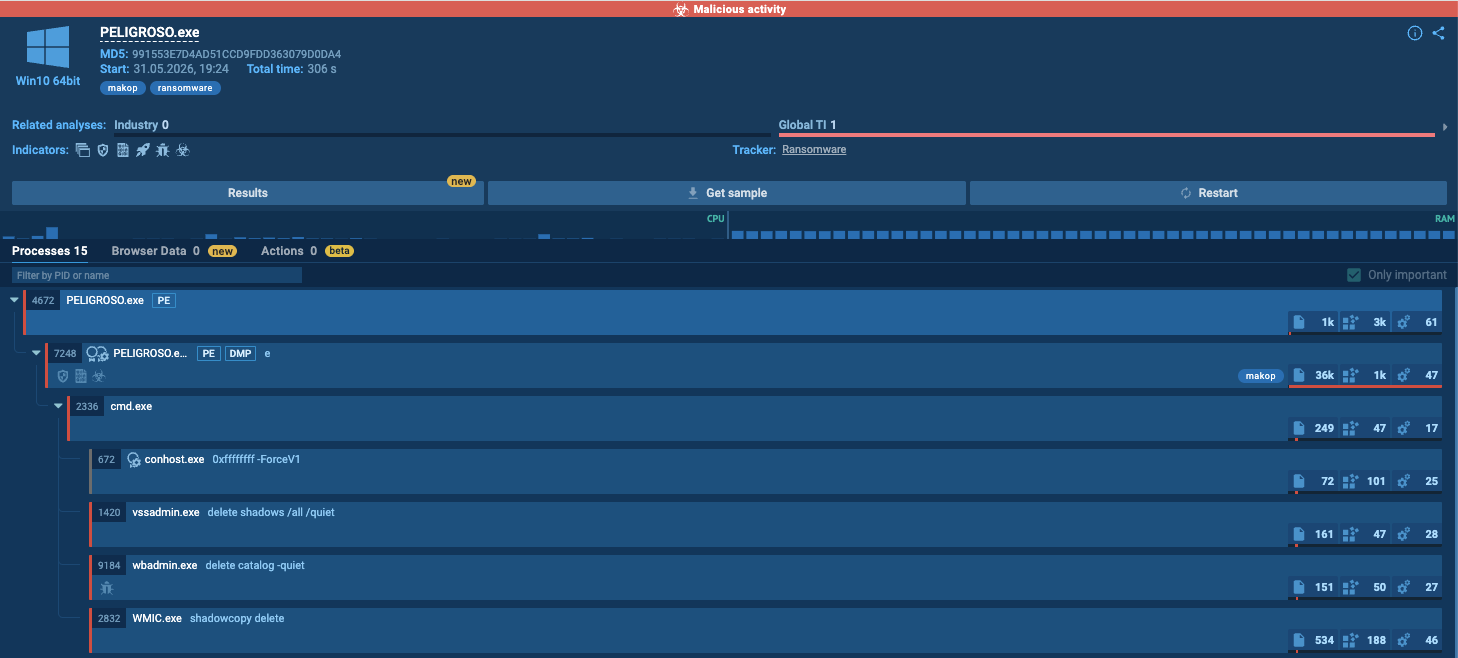
To prevent administrators from restoring systems without paying, Makop executes background process commands to eliminate backup redundancy:
- wbadmin delete catalog -quiet – Wipes the Windows backup catalog, disabling standard system-restore points.
- vssadmin delete shadows /all /quiet – Silently deletes all Volume Shadow Copies (VSS) to destroy local backups.
- wmic shadowcopy delete – Uses Windows Management Instrumentation (WMI) to ensure any remaining shadow volumes are deleted.

Phase 4: Encryption and Dynamic Extension Appending
After destroying recovery paths, the ransomware encrypts target files and renames them using a partner-specific template: File_Name.Extension.[8-Character_ID].[Email_Address].[Ransomware_Extension].
Because Makop uses a RaaS model, contact emails and file extensions vary by affiliate deployment:
- Deployment Variant A: Uses systemofadown@cyberfear[.]com and appends the .decrypt extension.
- Deployment Variant B: Uses ginesomna@outlook[.]com and appends the .gines extension.
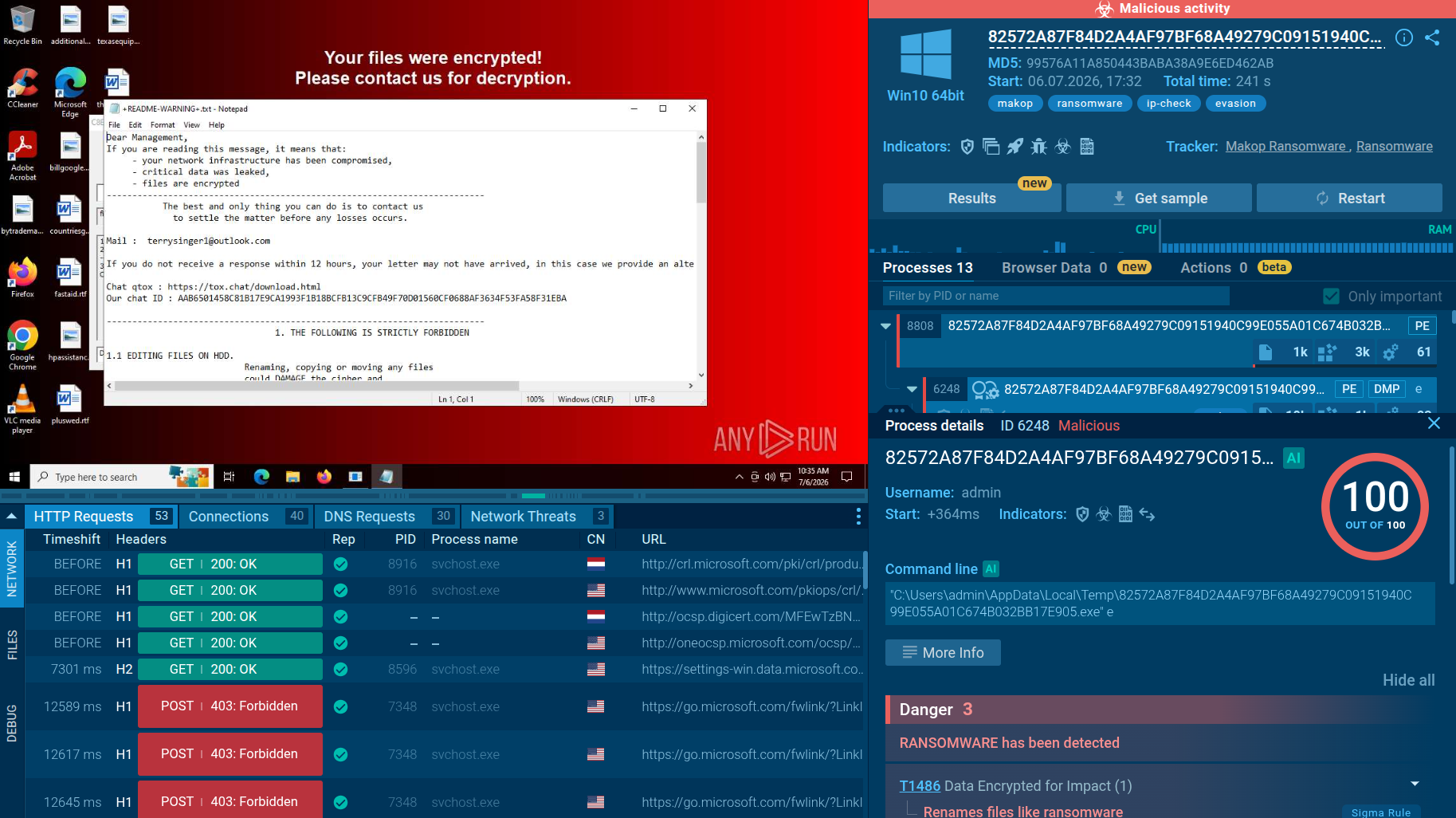
- Deployment Variant C: Uses terrysinger1@outlook[.]com and appends the .47IO extension.
Phase 5: Desktop Hijacking and Telemetry Exfiltration
After completing the encryption loop, the ransomware executes post-compromise actions to notify the victim and exfiltrate data:
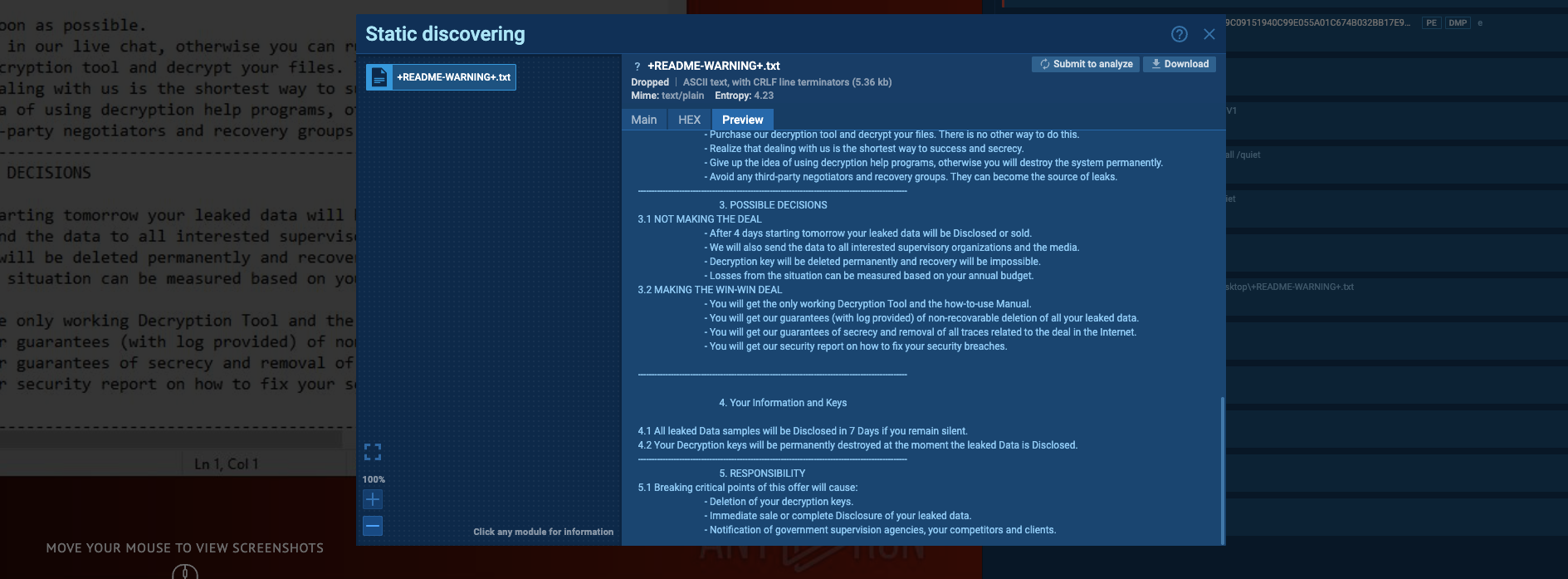
- Ransom Demands: Drops README text files containing negotiation terms and an offer for free decryption of two small files as proof. Format length varies by affiliate.
- Visual Notification: Drops a custom BMP image and sets it as the active desktop wallpaper to notify users of the compromise.
- Geographical Exfiltration: Sends background requests to dynamic, rotating IP logger URLs. This exfiltrates the infected system's external public IP address and location coordinates so the RaaS group can track victims globally.
How Businesses Can Use ANY.RUN’s Threat Intelligence Against Makop Ransomware
Because Makop operates as an evolving Ransomware-as-a-Service (RaaS) with rotating affiliate infrastructure, contact emails, and appended file extensions, traditional static blocklists are insufficient for long-term protection. Security teams must shift from tracking temporary indicators to identifying durable technical fingerprints and behavioral patterns of the operation. By leveraging ANY.RUN’s Threat Intelligence, organizations can stay ahead of these evolving campaigns.
Threat Intelligence Lookup allows analysts to pivot from a single suspicious artifact to an entire cluster of related malicious activity:
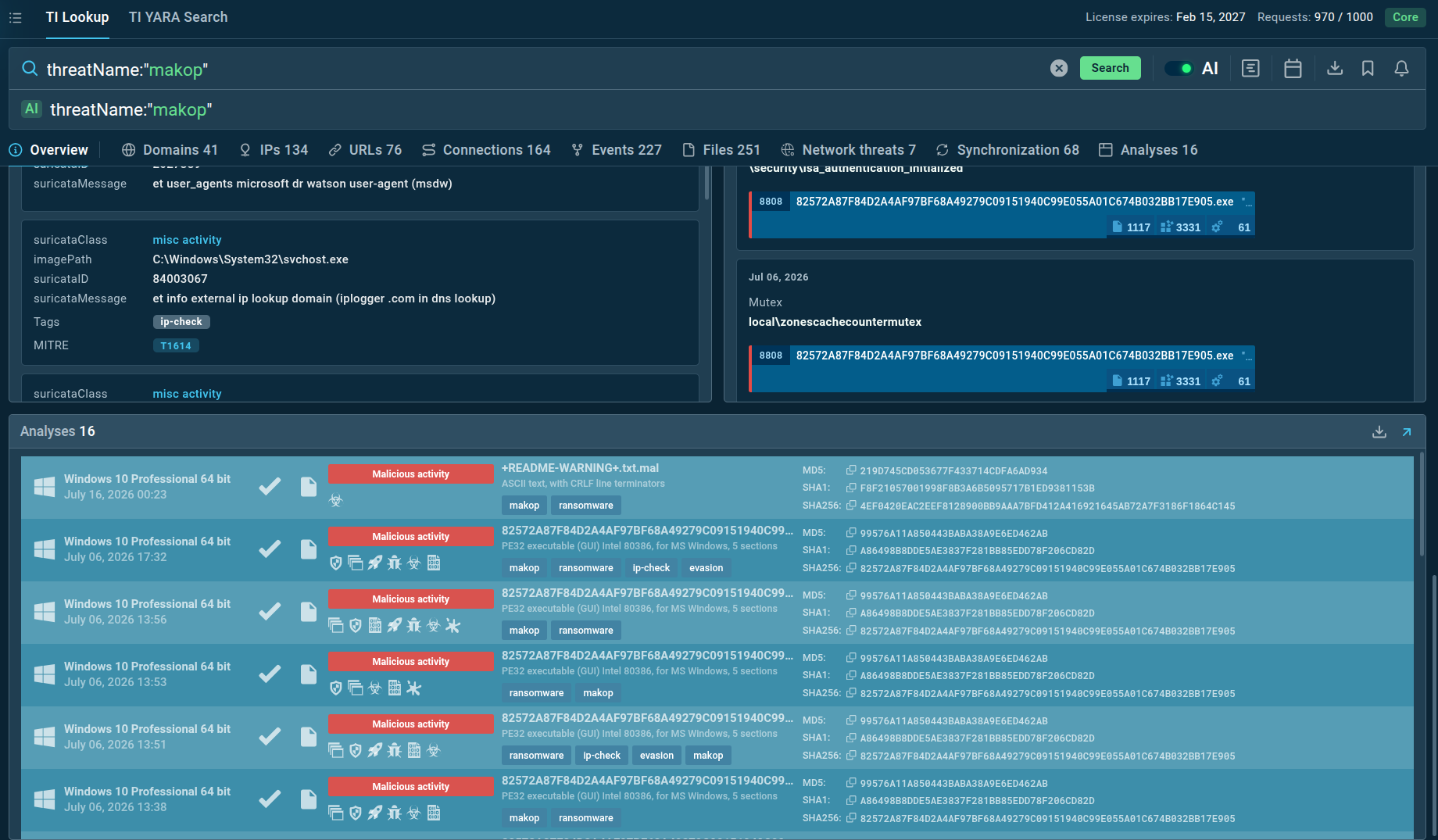
Threat Intelligence Lookup provides actionable Makop indicators and TTPs, delivering complete context on the threat. This includes rich intelligence on Makop attacks, such as C2 network indicators, BYOVD vulnerable drivers, dynamic file extensions, as well as full sandbox sessions demonstrating the entire execution cycle from staging to encryption.
For organizations requiring automated, high-speed protection, ANY.RUN’s Threat Intelligence Feeds provide a real-time stream of validated indicators. These feeds deliver a continuous flow of the latest C2 domains, malicious IPs, and payload hashes directly into SIEM, SOAR, and EDR platforms. By integrating these feeds, SOC teams can automatically block emerging malicious infrastructure and detect active intrusions before the final encryption phase occurs.
Conclusion
The ongoing global exploitation of Makop Ransomware proves a critical truth in enterprise cybersecurity: threat actors do not require complex, custom zero-day exploits to inflict devastating operational damage. By leveraging a low-complexity, human-operated intrusion strategy, combining unsecured RDP perimeters with public privilege escalation exploits and legitimate, vulnerable drivers, Makop operators reliably bypass security stacks and execute high-impact corporate extortion.
To counter this threat, organizations must move beyond static signature checks. Defending against RaaS affiliates requires a multi-layered security posture that prioritizes proactive external hardening (such as enforcing multi-factor authentication and strict account lockout rules) alongside aggressive patch management for local privilege escalation (LPE) vulnerabilities.
Frequently Asked Questions: Makop Ransomware
1. What is Makop Ransomware?
Makop is a corporate extortion ransomware strain that first appeared around 2020 as an offshoot of the Phobos ransomware family. It is operated under a Ransomware-as-a-Service (RaaS) model, where developers sell the encryptor framework to independent affiliates who execute targeted, human-operated network intrusions. The average extortion demand for a successful Makop compromise is approximately $15,000 USD.
2. How do Makop operators bypass enterprise endpoint protection and AV products?
Makop affiliates use a multi-tiered defense-evasion pipeline. To neutralize basic protections, they deploy lightweight tools like Defender Control and Disable Defender to disable Windows Defender. For more advanced endpoint agents, they leverage "Bring Your Own Vulnerable Driver" (BYOVD) tactics, loading signed, legitimate third-party drivers (such as ThrottleStop.sys or hlpdrv.sys) that contain memory-access vulnerabilities to execute kernel-level commands and forcibly terminate EDR agents. Additionally, they abuse legitimate administrative tools (like Process Hacker and IOBitUnlocker) and deploy customized uninstall software to target and remove regional antivirus products.
3. Why do Makop operators rely so heavily on Windows Local Privilege Escalation (LPE) exploits?
Because modern Makop attacks are manual, human-guided intrusions, securing administrative rights is a critical step in the lateral movement phase. Makop operators maintain a diverse fallback portfolio of Windows LPE exploits targeting core OS components (such as BITS, Win32k, and Windows Installers). By using exploits with reliable, publicly available Proof-of-Concepts (PoCs), the operators ensure they can consistently escalate local permissions to the SYSTEM level, which is required to load their vulnerable drivers, terminate security agents, and destroy system backup catalogs.
4. How does Makop attempt to block organizations from performing data recovery without paying?
Upon execution, Makop immediately launches a series of background process-tree commands to eliminate all localized recovery redundancy. It utilizes native Windows administrative system utilities to wipe the Windows backup catalog (wbadmin delete catalog -quiet), silently delete all Volume Shadow Copies (vssadmin delete shadows /all /quiet), and ensure any remaining shadow volumes are completely eradicated via Windows Management Instrumentation (wmic shadowcopy delete).
5. What are the critical indicators of a Makop intrusion that SOC analysts should monitor?
Security teams should monitor their networks for:
- High-volume, automated brute-forcing activity targeting exposed external RDP endpoints.
- The execution of unauthorized network scanning and port-mapping utilities (such as Masscan, NetScan, or Advanced IP Scanner).
- The registration of known vulnerable kernel drivers as system services (hlpdrv.sys or ThrottleStop.sys).
- The execution of administrative backup deletion commands (wbadmin, vssadmin, wmic shadowcopy).
- Background network requests contacting dynamic, rotating iplogger URLs.
- Files being renamed with partner-specific extensions and unique IDs following the template: File_Name.Extension.[8-Character_ID].[Email_Address].[Ransomware_Extension].
Other malware & phishing threats
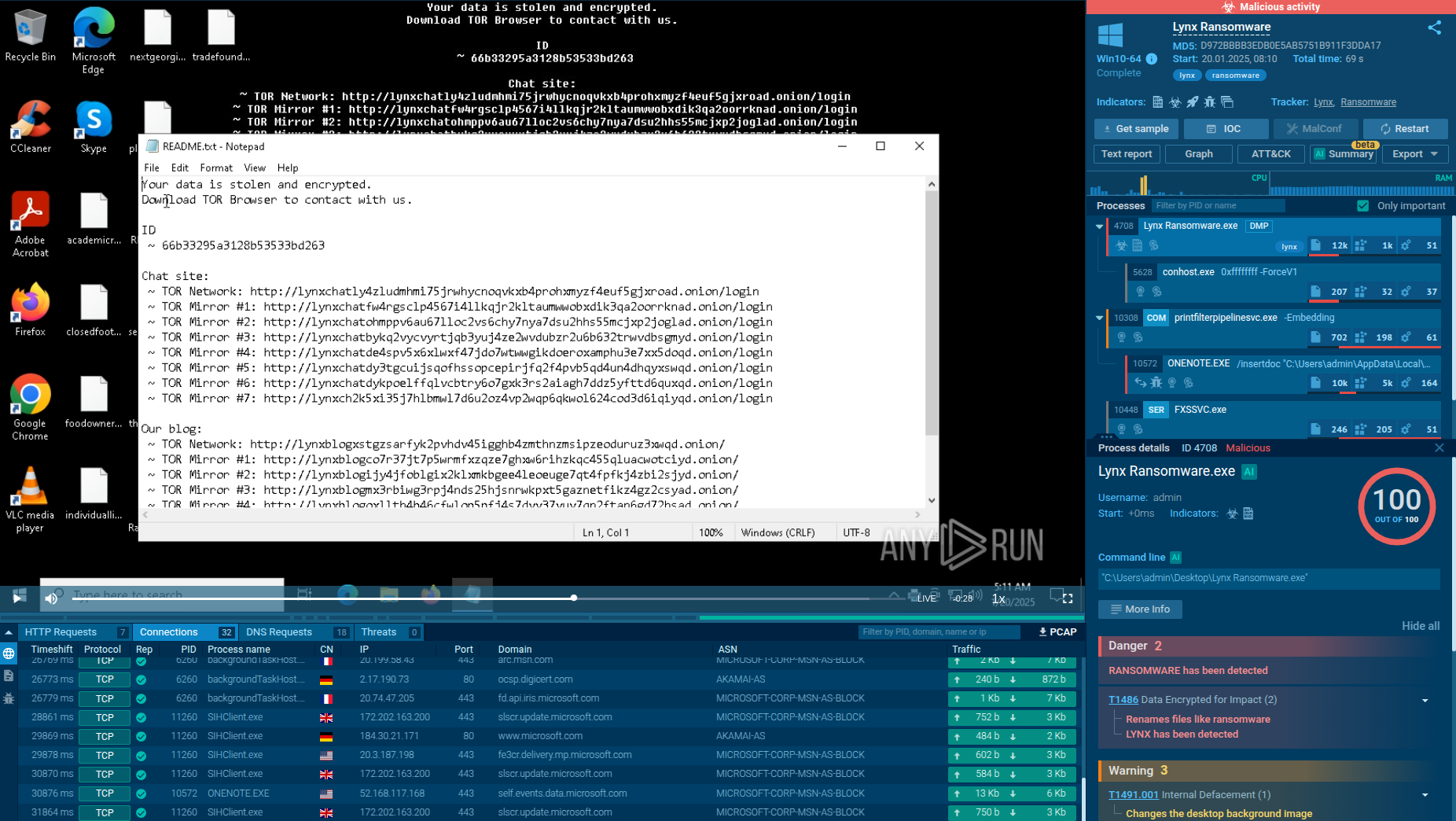 LynxLynx is a double extortion ransomware: attackers encrypt important and sensitive data and demand a ransom for decryption simultaneously threatening to publish or sell the data. Active since mid-2024. Among techniques are terminating processes and services, privilege escalation, deleting shadow copies. Distribution by phishing, malvertising, exploiting vulnerabilities.
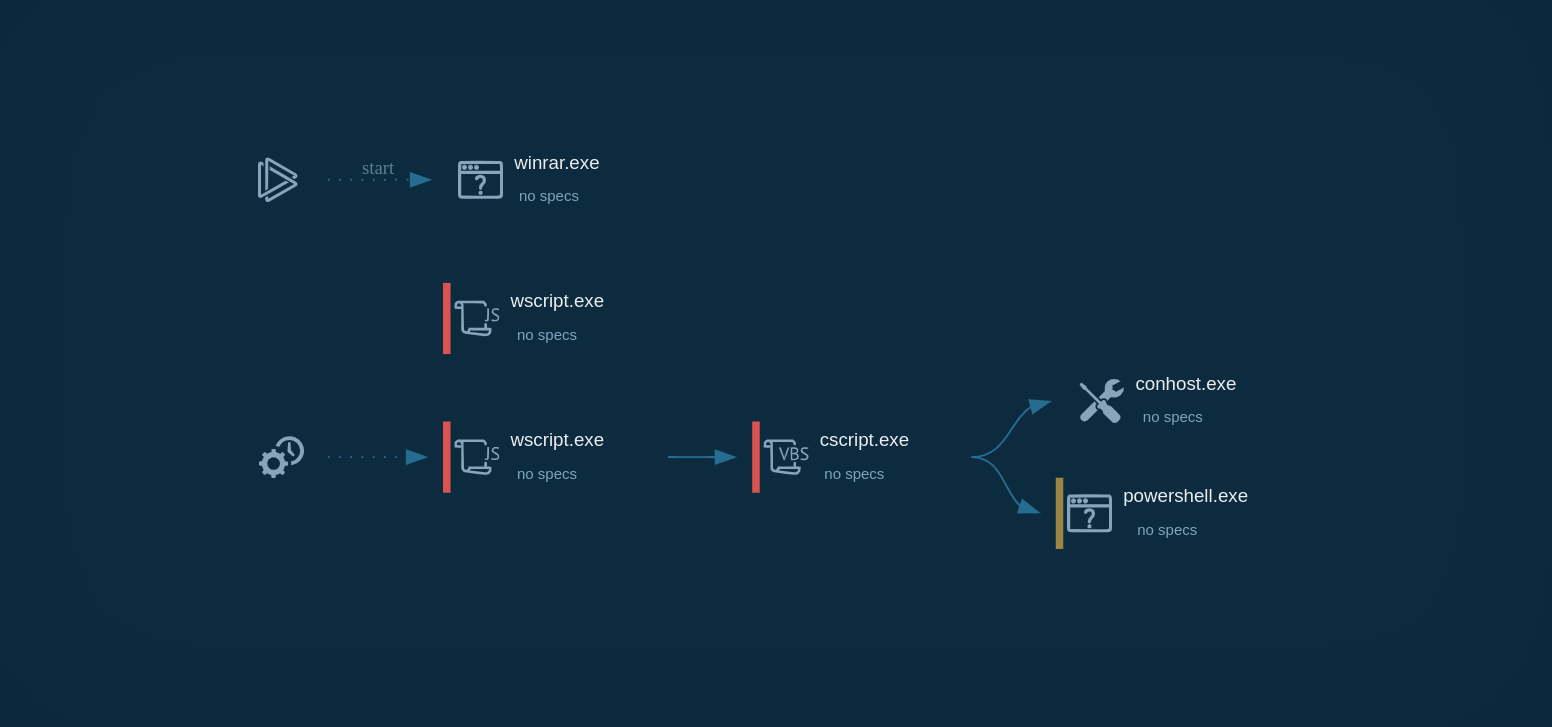 GootLoaderGootLoader is an initial-access-as-a-service malware that operates by delivering the GootKit banking trojan and other malicious payloads. It utilizes techniques such as fileless execution and process injection to avoid detection. The malware is often distributed through SEO poisoning and compromised websites, deceiving users into downloading infected files.
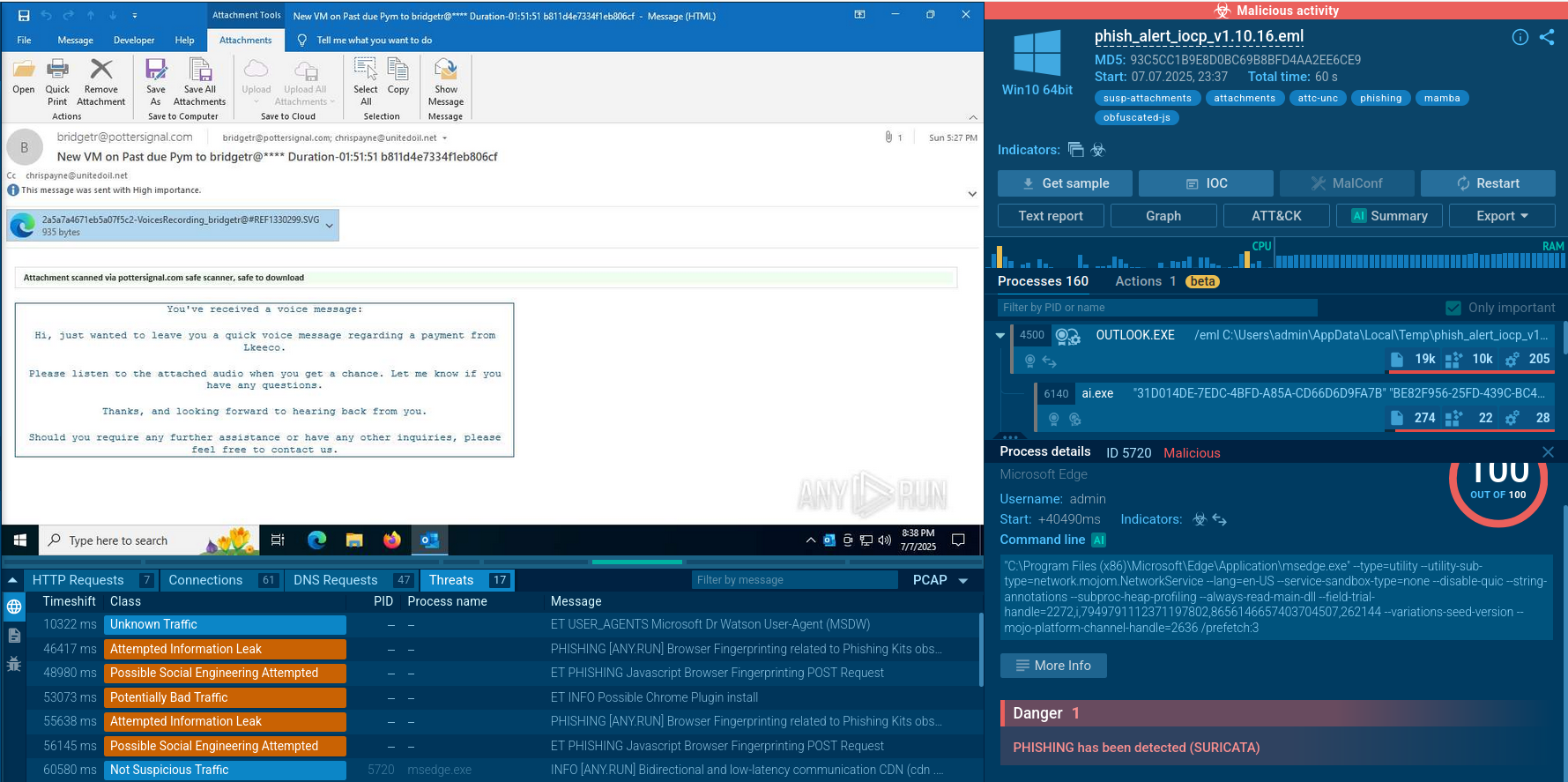 Mamba 2FAMamba 2FA is an advanced phishing-as-a-service (PhaaS) platform designed to bypass multi-factor authentication (MFA) and target Microsoft 365 accounts. It focuses on intercepting authentication flows in real-time and enables threat actors to hijack user sessions and access sensitive systems even when additional security measures are in place.
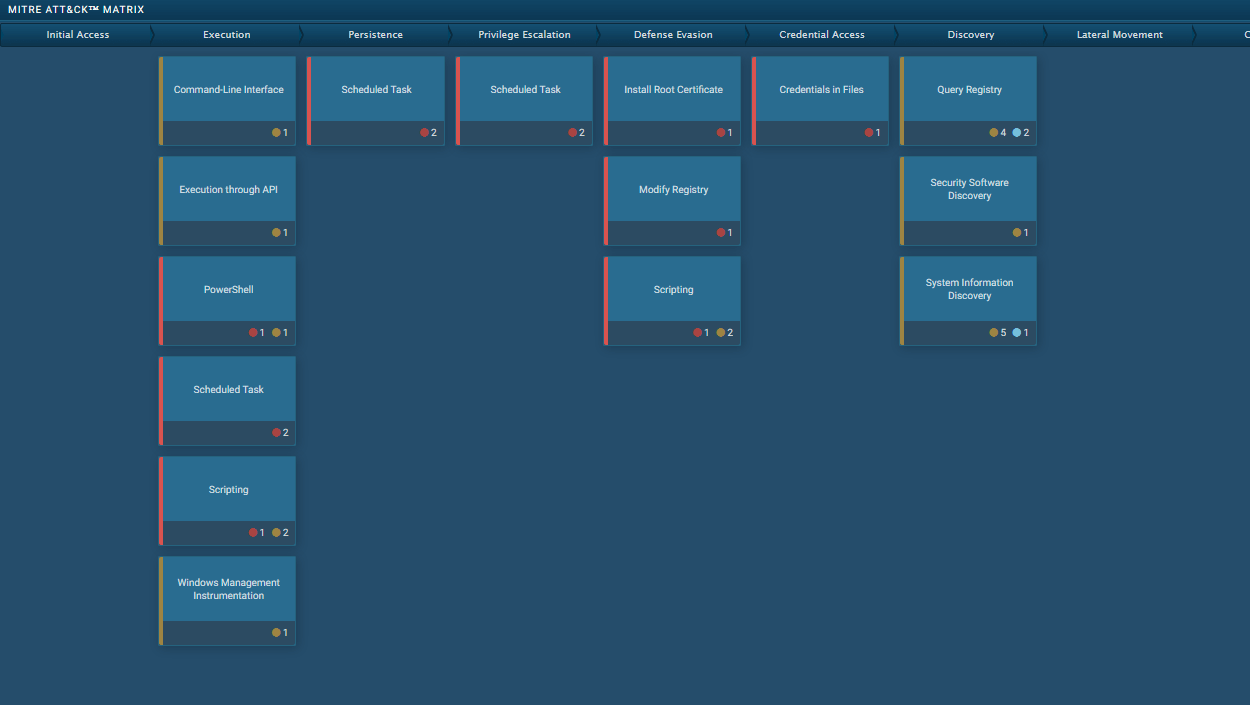 GootkitGootkit is an advanced banking trojan. It is extremely good at evading detection and has an incredibly effective persistence mechanism, making it a dangerous malware that researchers and organizations should be aware of.
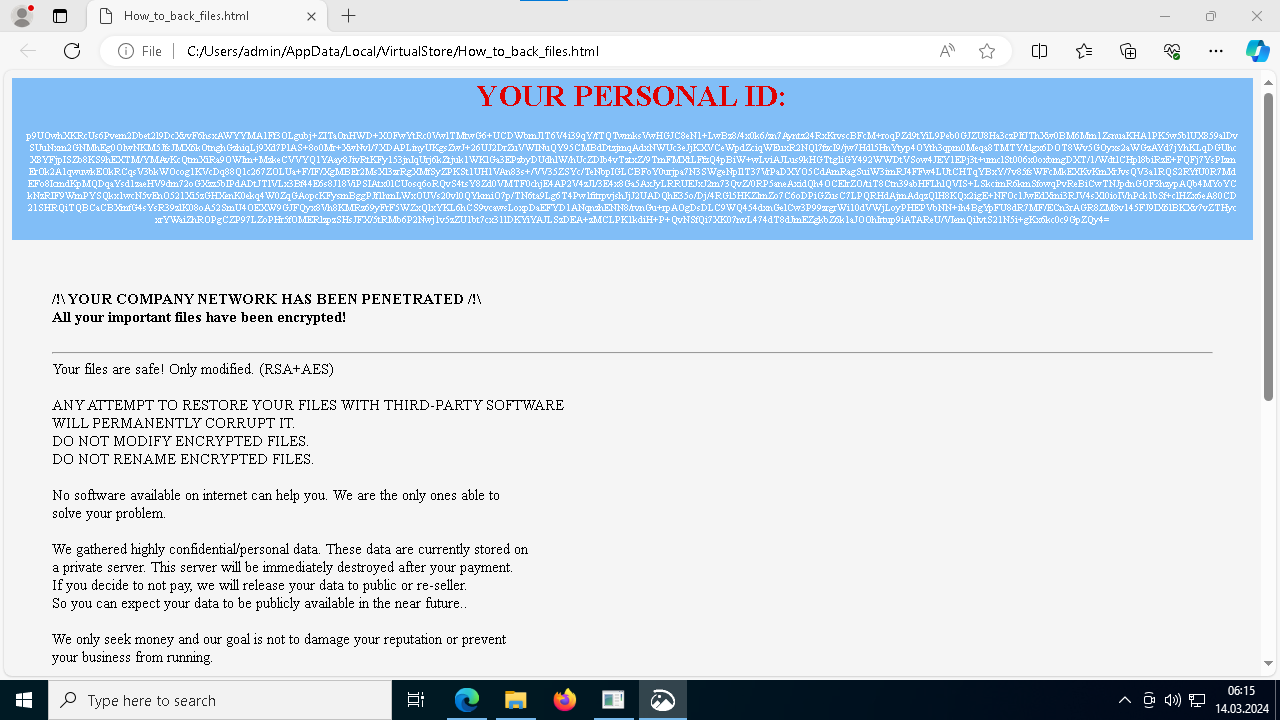 Medusa RansomwareMedusa is a ransomware malware family targeting businesses and institutions. Medusa encrypts crucial data, rendering it inaccessible, and attempts to pressure users to pay to regain control of their information. The group behind this malicious software hosts a TOR website where it shares the list of the organizations whose infrastructure has been compromised. This malware utilizes various tactics, including exploiting vulnerabilities and employs a unique file extension (".MEDUSA") to mark encrypted files.
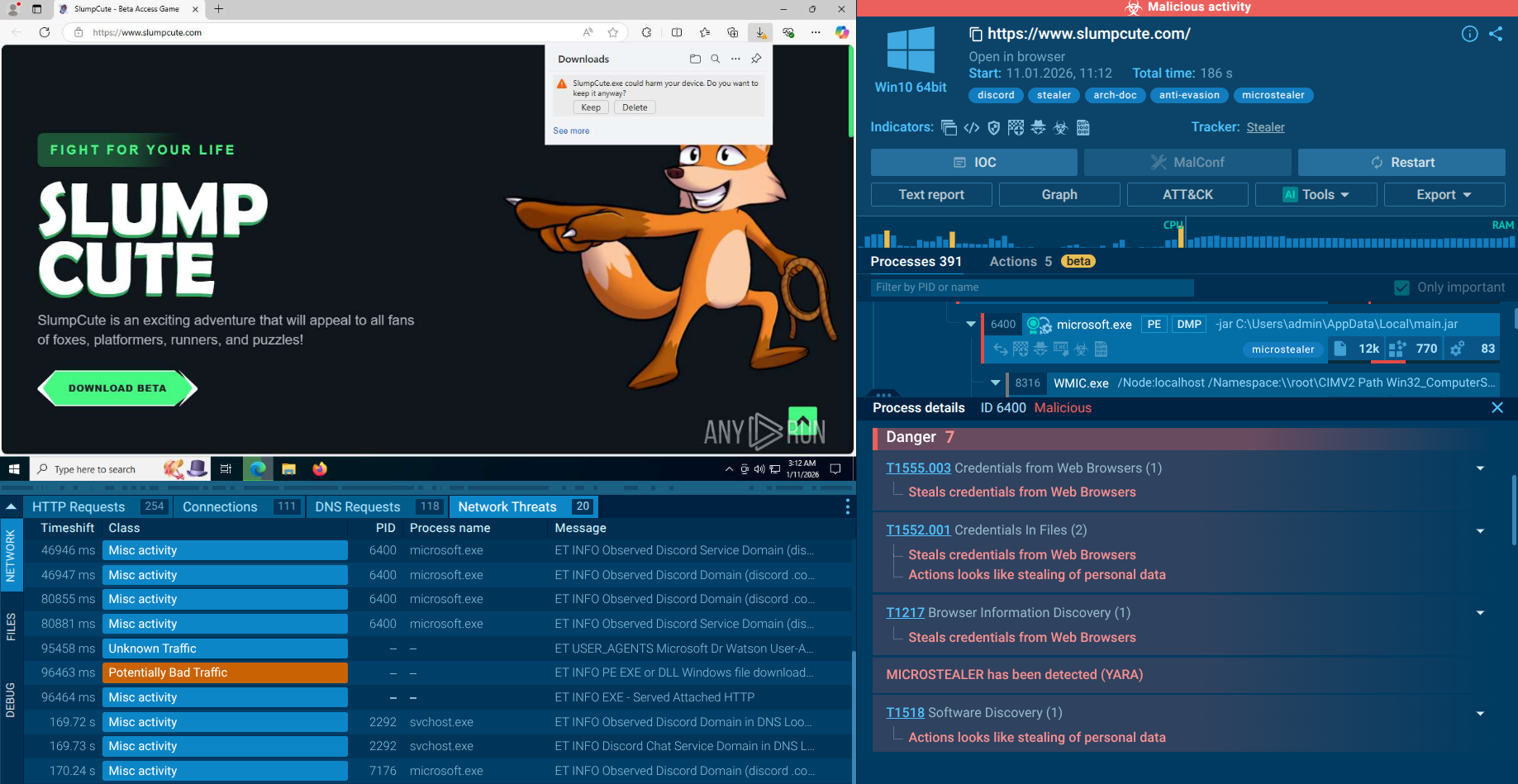 MicroStealerMicroStealer is a rapidly emerging infostealer first prominently observed in late 2025. It specializes in stealing browser credentials, active session data, screenshots, cryptocurrency wallets, and system information. It spreads quickly with low detection rates thanks to a sophisticated multi-stage delivery chain and exfiltrates data via Discord webhooks and attacker-controlled servers.